
PSA time! I doubt there are many people out there who want to engage with custom Foundry work, and fewer still who specifically have a bee in their bonnet about the dynamic token rings that were added as core functionality since Foundry V12. However, for those three people, I have figured out how to make and register your own dynamic token rings. You’re welcome.
Spritesheet
Dynamic token rings use a spritesheet in .webp format divided into frames demarcated by an accompanying JSON file. The Foundry documentation is actually useful here, showing you where the default spritesheets and json are located. As of V12, it’s /public/canvas/tokens/rings-steel.webp. and /public/canvas/tokens/rings-steel.json.
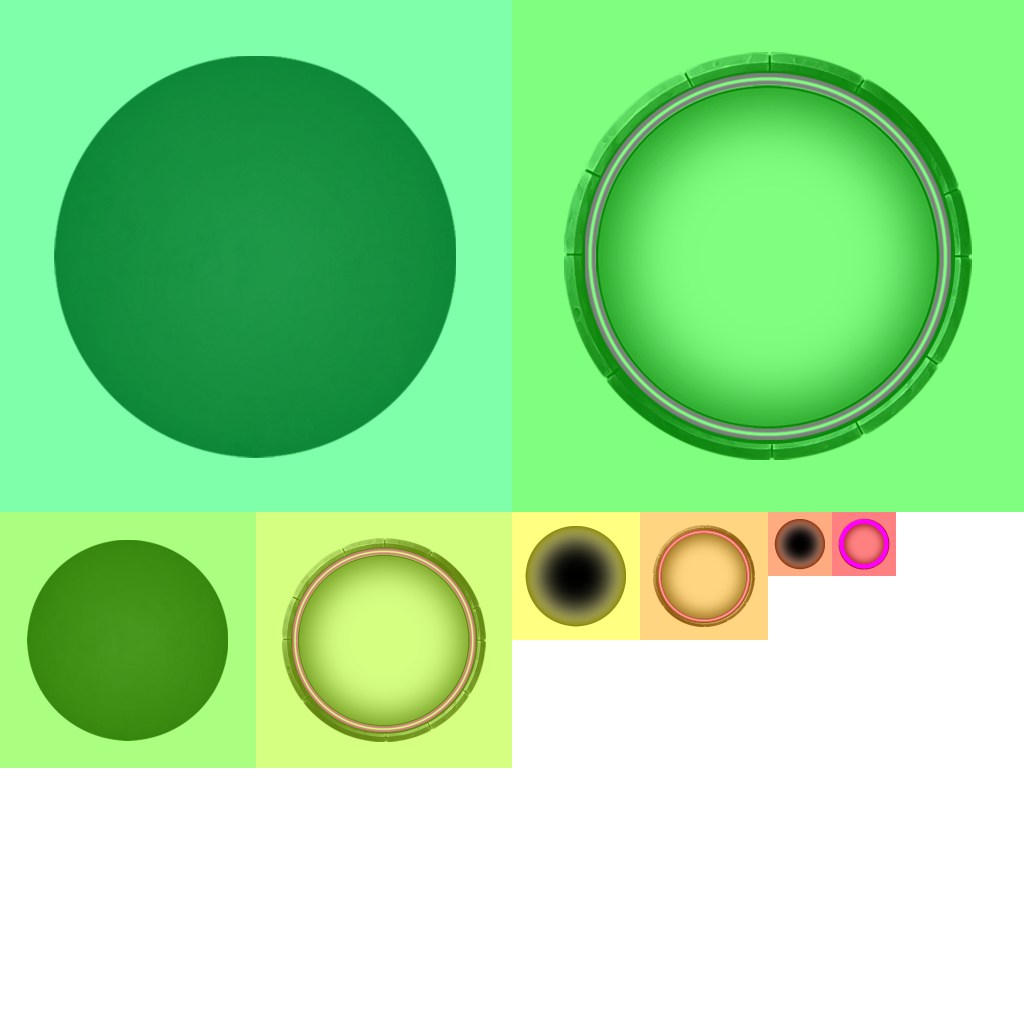
Ring vs. Background
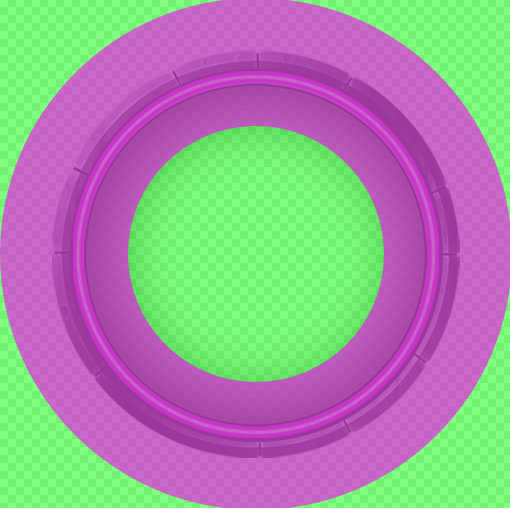
The dynamic ring has a background frame that can have effects applied to it in-game, such as a color overlay or wave effects. It also has a separate “ring” area (I know, your ring has a ring) that can take a separate color and some additional effects. While the background frame is pretty obvious, setting the portion of the dynamic token that counts as the “ring” can be tricky.
"config": {
  "defaultColorBand": {
    "startRadius": 0.59,
    "endRadius": 0.7225
  }
}
The ring area must be circular, because it’s defined by the inner and outer radius from the token center. It’s a donut (or a full circle if you set startRadius to zero I suppose). The two radius attributes are the percentage from the token center to the frame edge:
Module/System Initialization
You have to register the spritesheet in your code, which is glossed over in the official documentation, much to my chagrin. The answer to this was buried within a feature request on github.
In my case, I’m working on a custom game system so I’m putting this in my systems/CUSTOM-SYSTEM-NAME/module/CUSTOM-SYSTEM-NAME.js file, but I imagine if you are building a module or something instead, wherever you initiate your custom code will work for this.
Hooks.on("initializeDynamicTokenRingConfig", ringConfig => {
  const myCustomRings = new foundry.canvas.tokens.DynamicRingData({
    label: "Your Custom Rings",
    effects: {
      RING_PULSE: "TOKEN.RING.EFFECTS.RING_PULSE",
      RING_GRADIENT: "TOKEN.RING.EFFECTS.RING_GRADIENT",
      BKG_WAVE: "TOKEN.RING.EFFECTS.BKG_WAVE"
    },
    spritesheet: "PATH/TO/YOUR/FILES/rings-custom.json"
  });
  ringConfig.addConfig("myCustomRings", myCustomRings);
});
Once you’ve done all that, your dynamic token rings should be selectable in Game Settings alongside the default Steel and Bronze rings.

 Don't Roll a One
Leave a comment